








The Two-Lane Rule for Cold Email
Every email provider forbids cold outreach to scraped lists. So the cold lane leaves through your own mailboxes, and Resend carries only the replies.
Argus ·
Drives the agents and connectors you already use — see all integrations
Three things you do. Everything else is what Argus does with them.
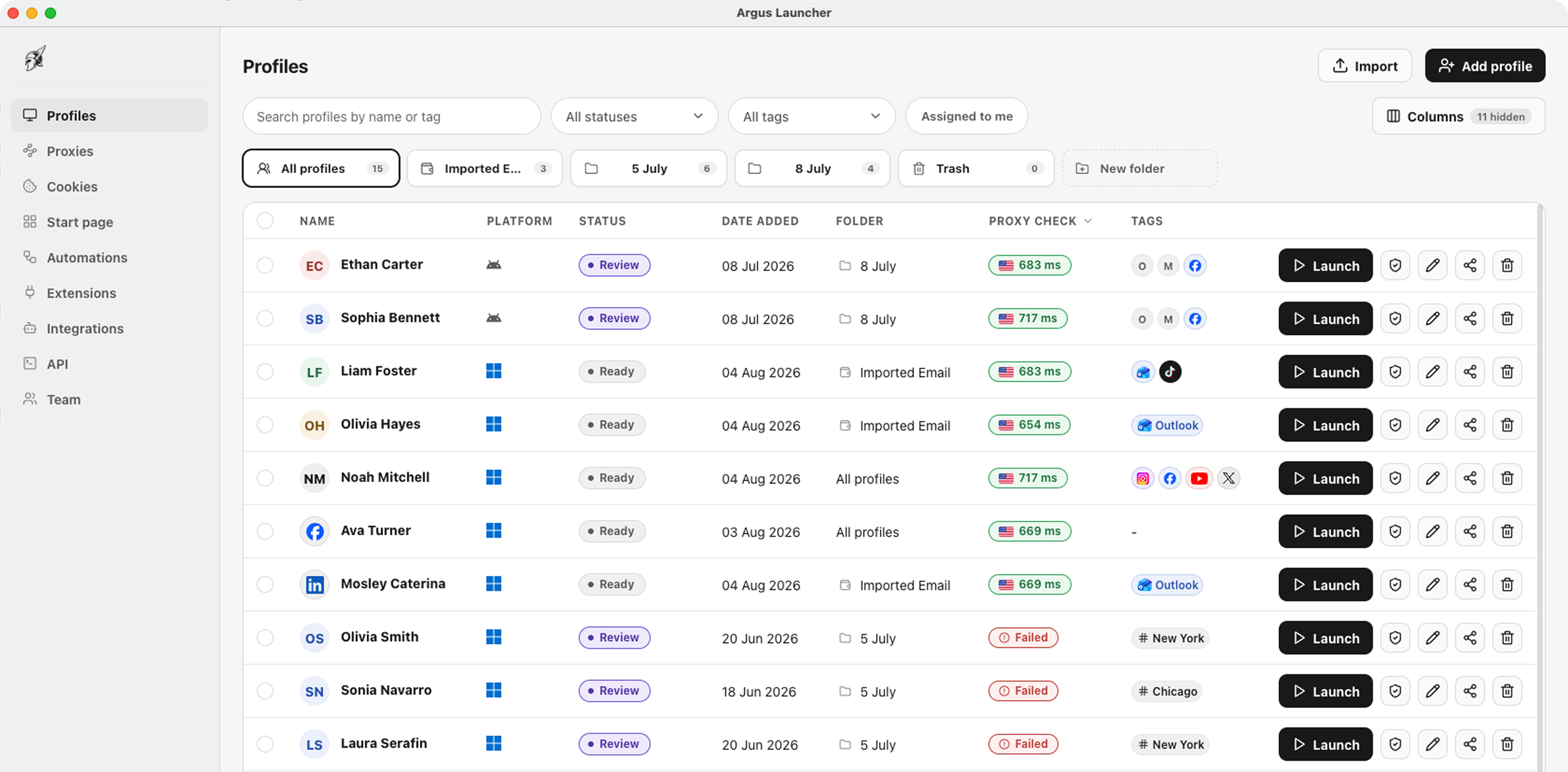
Pick a real device from the catalogue and Argus gives the profile a coherent fingerprint, its own cookie jar and its own data directory.
What a profile is
Paste the list you already have. Every profile can run behind its own address, health-checked before launch and fail-closed if it stops working.
How proxies work
Open it yourself, put an automation on it, or hand it to the assistant — through the same proxy, with the same cookies, every time.
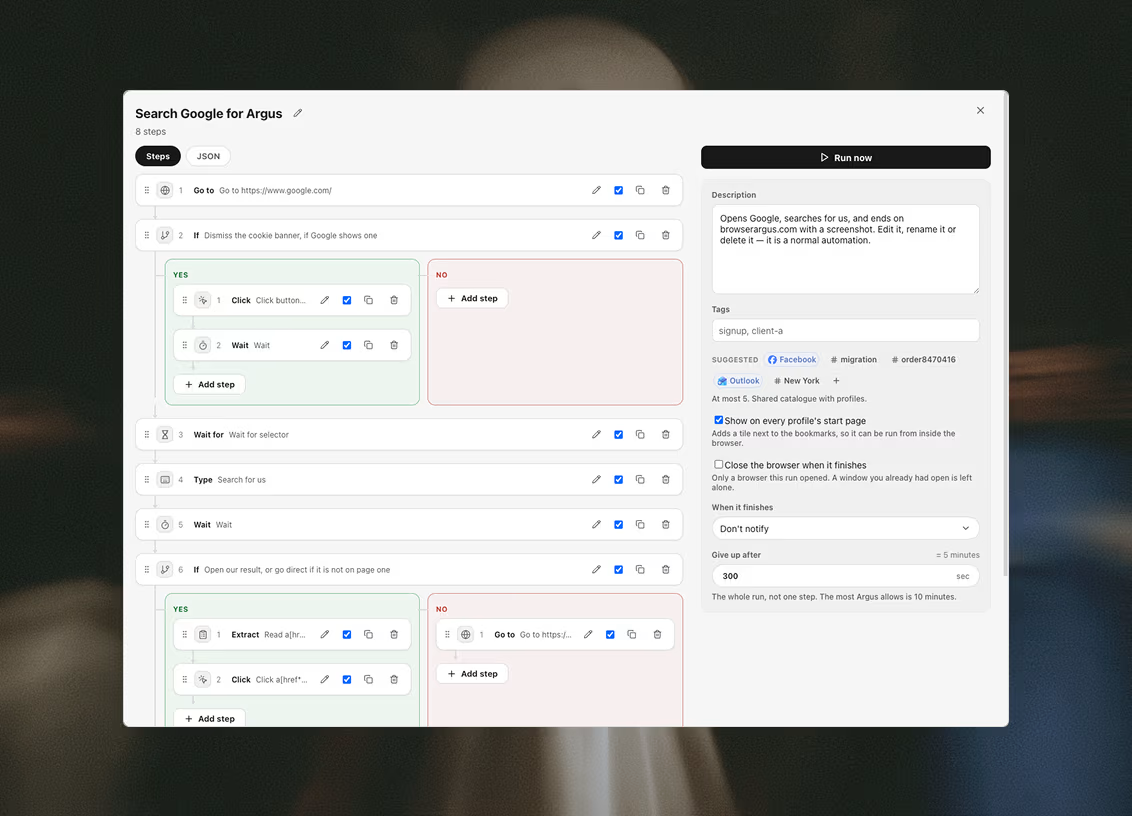
Every step type
A site asks all three on arrival, and two out of three is not a pass. Argus ships its own browser so every answer holds up.
CHECK 01
The identity is applied below the page, where a script cannot read around it.
How fingerprints work
CHECK 02
Your real address does not escape through WebRTC, and a page cannot switch that off.
How proxies work
CHECK 03
Each session starts from its own directory with nothing carried over from any other.
How isolation works
The same launcher, pointed at eleven very different jobs.
Use case
Every client's accounts in one workspace: a profile per account, a shared pool of proxies and cookie sets, and the whole team signed into the same library.
The agency setup, in detail
Use case
A profile per wallet and a profile per exchange account: each one its own browser, its own proxy and its own coherent device, so nothing you run links back to anything else you run.
The Web3 setup, in detail
Use case
Research under an identity that isn't yours: every session opens clean, behind its own proxy and its own coherent fingerprint.
The reporting setup, in detail
Automations that drive it, collectors that need no window at all, a calendar that runs them, tables that keep what they collect, an assistant on your own keys — and two ways to drive the whole thing from outside.
An automation is a tree of steps run against one profile — through its proxy, with its cookies, in its browser when a step needs one. Thirty-three step types, and no scripting language to learn.
Every step type
A calendar of ordered workflows: several automations, the profiles they run on, and a time.
Scheduling
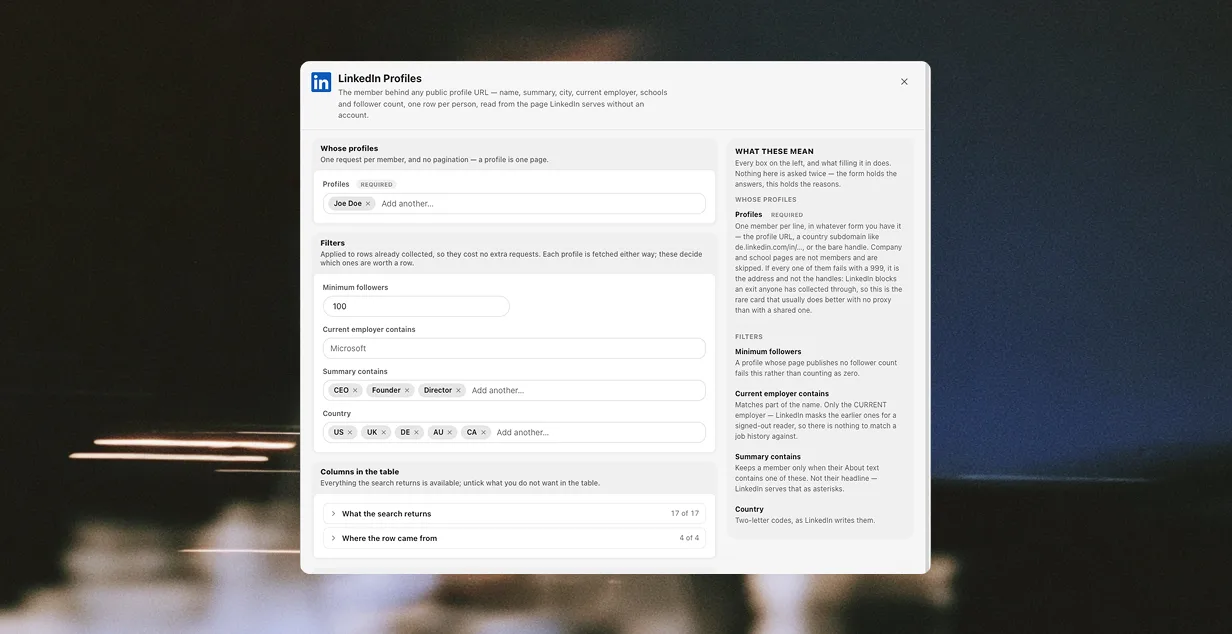
Prebuilt collectors that fill a table without opening a browser window at all.
All 29 collectors
Tables the workspace owns, that automations write into and read back out of.
What datasets do
A shared, searchable proxy library with live health checks — not a text field per profile.
How proxies work
Ask AI opens beside whatever tab you are on, and acts through the same tools you would.
AI and skills
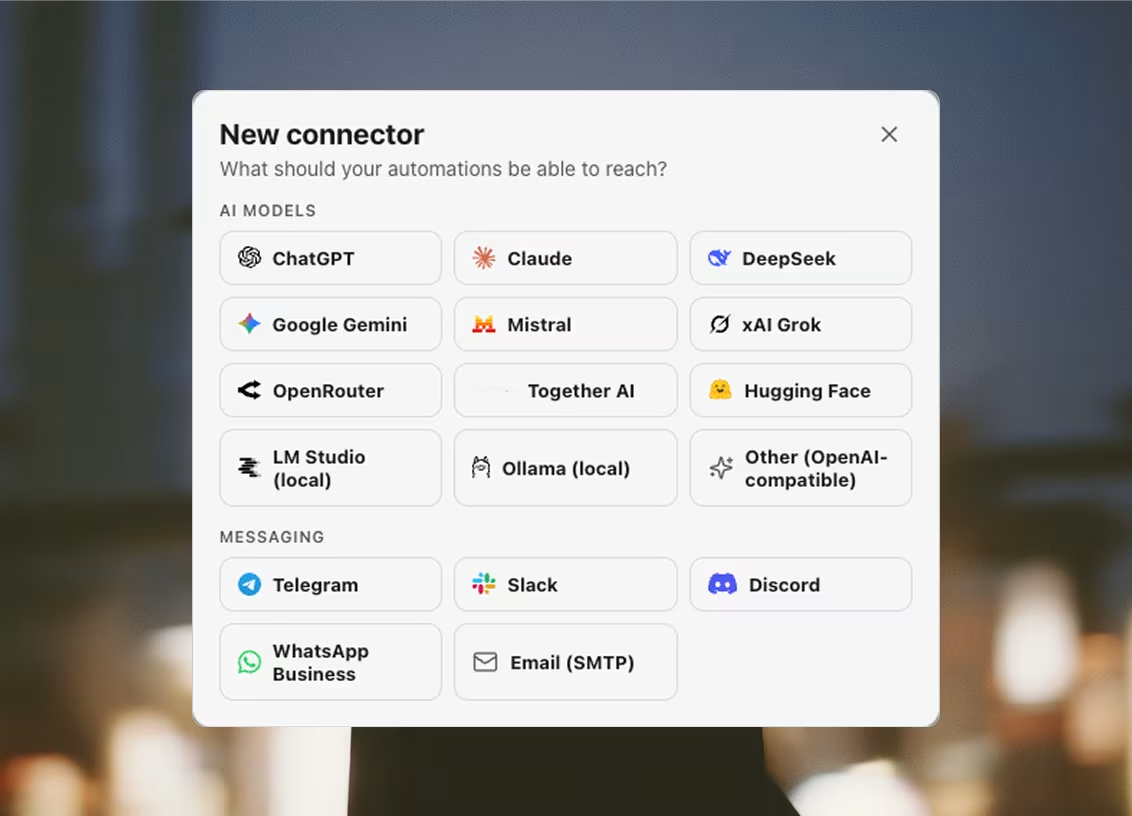
Argus speaks the Model Context Protocol, so an agent that already knows how to use tools can drive your profiles without being taught an API. Connecting installs nothing.
Clients and connectors
A local HTTP bridge that lets your own tooling drive the app — on your machine, not ours, on every plan including Free.
The API reference
Argus ships an MCP server inside the launcher. Connect Claude Code, Cursor, Codex or any other MCP client and every profile, proxy, automation and dataset becomes a tool the agent can call — on your machine, through your proxies.
On every plan, including Free.
› Open the Berlin ads profile and tell me what the dashboard says.
→ argus_list_profiles
3 profiles in folder “Berlin ads”, 1 running
→ argus_launch_profile
session s_9f2 open, egress 91.207.x.x (DE)
→ argus_read_page
Ads Manager — 2 campaigns active, 1 in review
Start free. Upgrade when you need more profiles, seats and automations.
For one person, at scale
For the bigger teams
For large teams and companies
Pay by card or in crypto. Plans unlock instantly on the desktop app after payment — no reinstall needed. Pay yearly and get 2 months free.
Sourced, dated side-by-sides — every row read from the other vendor's own documentation, with the URL attached.
Argus is an anti-detect browser for running many separate online identities at once. It comes as two programs: a launcher, which is the app you sign in to and where you manage profiles, proxies, cookies and extensions; and the browser itself, a purpose-built Chromium that actually opens the sessions.
macOS 13 Ventura and newer on Apple Silicon, and Windows 10 and 11 on x64. There is no Intel Mac build — an Apple Silicon machine is required on macOS.
Yes. Argus takes HTTP and SOCKS5 proxies, including SOCKS5 proxies that require a username and password — which ordinary Chromium cannot use at all. Proxies live in a shared library rather than being retyped per profile, and health checks report the egress IP, country and latency.
Health checks run automatically for new and previously failing proxies, and any proxy can be re-checked on demand. If the proxy assigned to a profile fails its check, the launch is blocked rather than allowed to proceed and expose your real address. A separate background sweep loads real sites through each proxy, so a row can name the site that refused it rather than only saying the connection worked — and if you record the date a proxy's term ends, Argus warns you a week out and asks you to confirm before launching behind an expired one.
Yes. Members of an organization share one pool of profiles, proxies, cookie sets, folders and extensions. Writes are made one row at a time, so two people working simultaneously cannot overwrite each other's changes.
Set Argus up as an MCP server from the launcher's Integrations tab. For most clients — Claude Code, Codex, Cursor, Gemini CLI and others — the launcher writes the config file for you and shows you the path first. Once connected, the agent sees Argus as a set of tools: listing profiles, launching sessions, reading pages. The integrations page documents every supported client and the snippet for doing it by hand, and there is no plan to buy first — MCP works on Free.
No. Every AI feature — the assistant, the AI automation steps, and the skills they load — runs on API keys you bring yourself, so you pay your model provider directly and nothing routes through anyone else's account. A model running locally on your own machine is reached through a connector and needs no key at all. There is no AI line on an Argus bill because there is no AI usage we can see.
Paid plans are priced in USD and can be paid by card through Revolut or in crypto through OxaPay, for 30 days or 12 months. Create an account, sign in, then choose a plan from the pricing page and pick how you want to pay. If you pay by card you also choose whether it renews: leave auto-renewal on and the card is charged each period until you turn it off, or turn it off and you have bought a single term that simply ends. Crypto cannot recur, so a crypto purchase is always a single term.
How multi-account work actually gets done — proxies, fingerprints and the operating habits behind them.
Every email provider forbids cold outreach to scraped lists. So the cold lane leaves through your own mailboxes, and Resend carries only the replies.
Argus ·
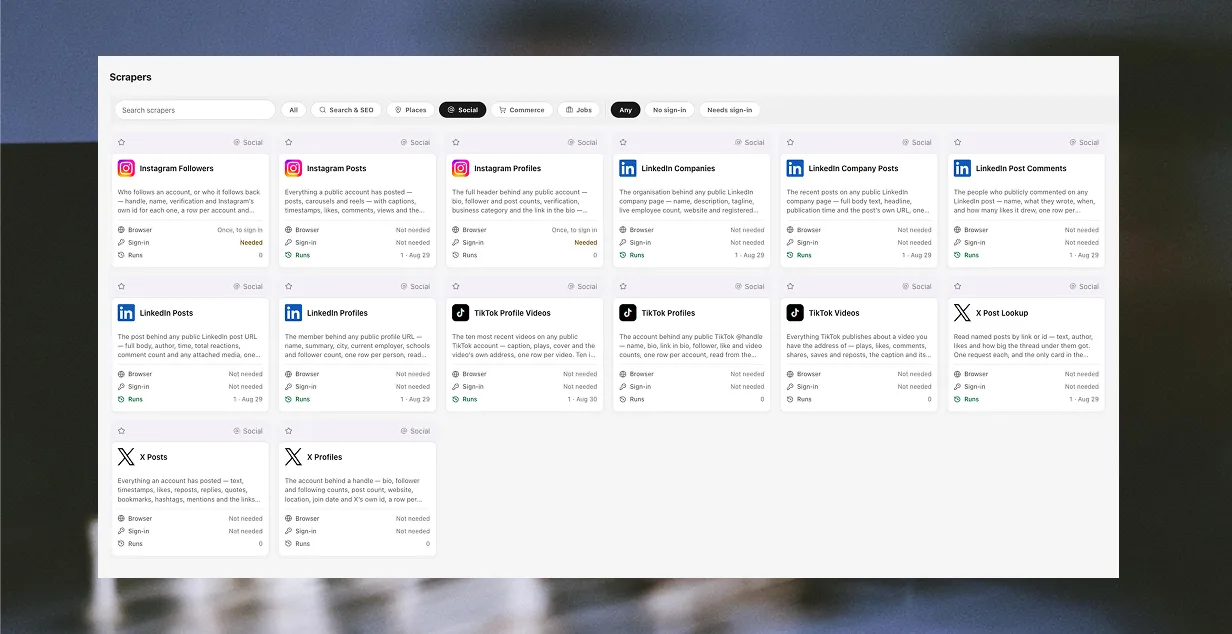
Twenty prebuilt collectors on a Python engine written from scratch, 462 typed columns, and a Google Maps search that went from eight minutes to six seconds.
Argus ·
Which proxy kind to buy, why the exit country and the browser clock must agree, when rotation is the wrong answer, and what a WebRTC leak quietly undoes.
Argus ·
How a desk that shares accounts should name profiles, hand one over without the password, onboard and offboard people, and what to review every week.
Argus ·
Download Argus for Mac or Windows and start free with 5 profiles.